 PDF 123
Every PDF tool you need, right on your phone.
Scan, convert, merge, compress, sign and protect documents in seconds. 40+ tools that work offline – your files never leave your device.
Get it on Google Play
FreeWorks offlineNo sign-upPhones & tabletsNo storage permission
Private by design
Every tool runs on your device. Nothing is uploaded to a server.
On-device processing
Merging, compressing, OCR and even translation happen locally, so they’re fast and work without internet.
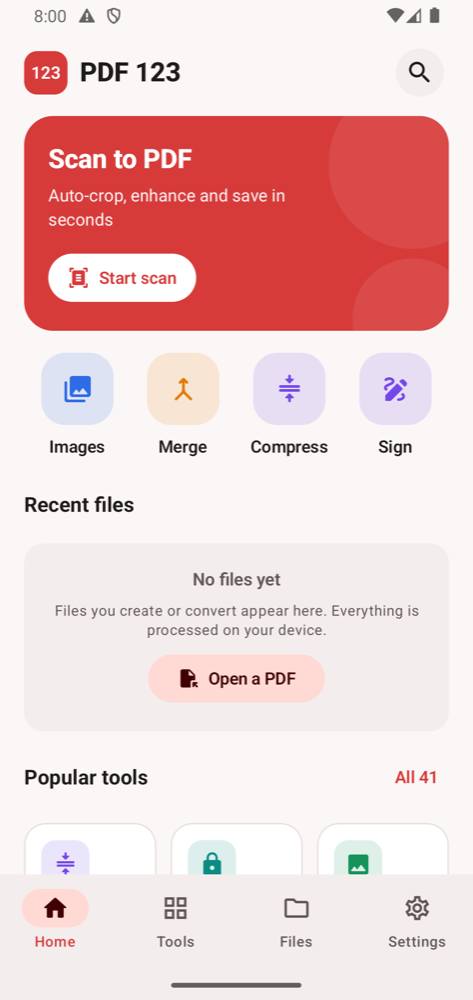
Smart scanner
Google’s on-device document scanner auto-crops and cleans pages, then saves a PDF.
Strong encryption
Protect PDFs with AES-256 passwords and control printing, copying and editing.
Made for tablets
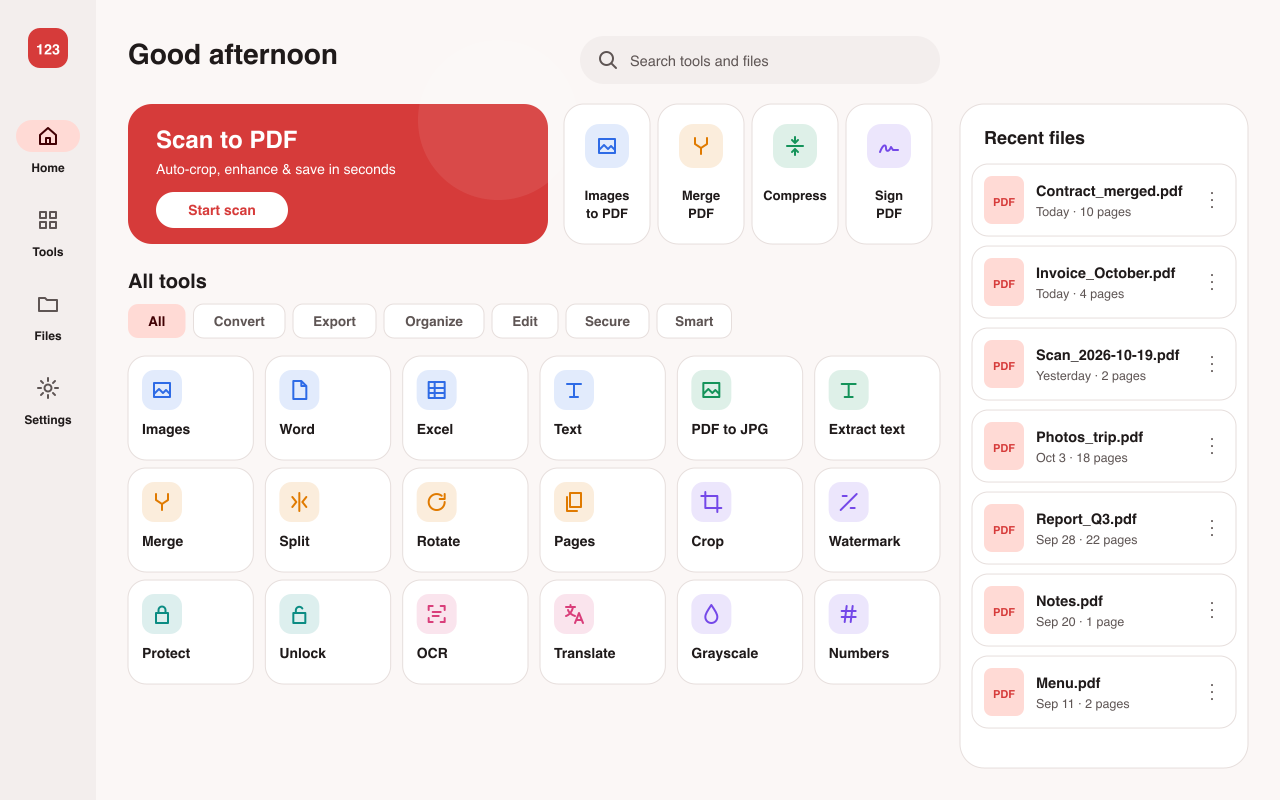
Adaptive layouts with a navigation rail and side-by-side panes on large screens.
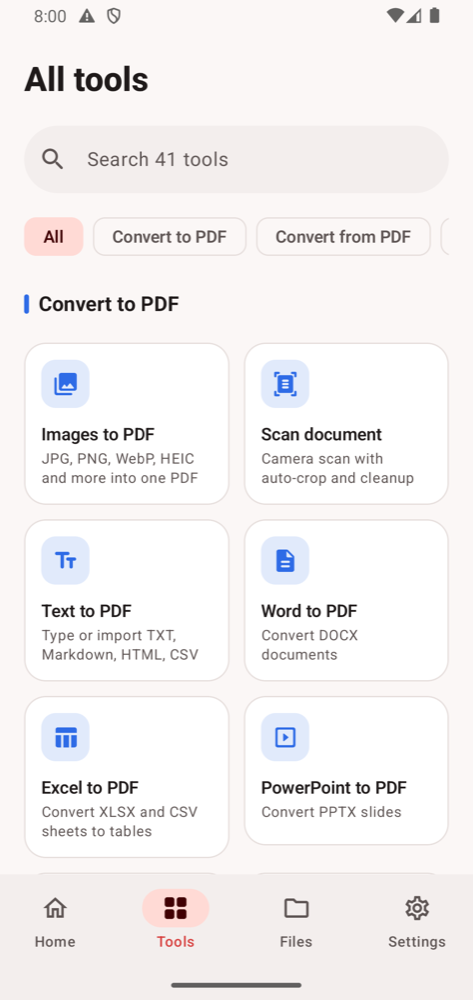
40+ tools
Grouped so you find the right one in a tap.
Convert to PDF
- Images (JPG, PNG, WebP, HEIC…)
- Scan document
- Text, Markdown, HTML, CSV
- Word, Excel, PowerPoint
- EPUB, Web page, ZIP
Convert from PDF
- PDF to JPG / PNG
- Extract images
- PDF to Text
- PDF to Word
Organize
- Merge & split
- Reorder, rotate, delete pages
- Extract pages
- Remove duplicate pages
Edit
- Compress
- Sign, add text or image
- Watermark, page numbers, header & footer
- Crop, resize, grayscale, invert, flatten
- Edit or remove metadata, repair
Security
- Protect with password
- Unlock PDF
Smart tools
- OCR – searchable PDFs
- Translate PDF (50+ languages)
- Fast PDF viewer
Big screen ready
Tools and recent files side by side on tablets and foldables.